Best Video Doorbells With Vertical FOV for Packages
By Diego Sato • 2nd May
Introduction
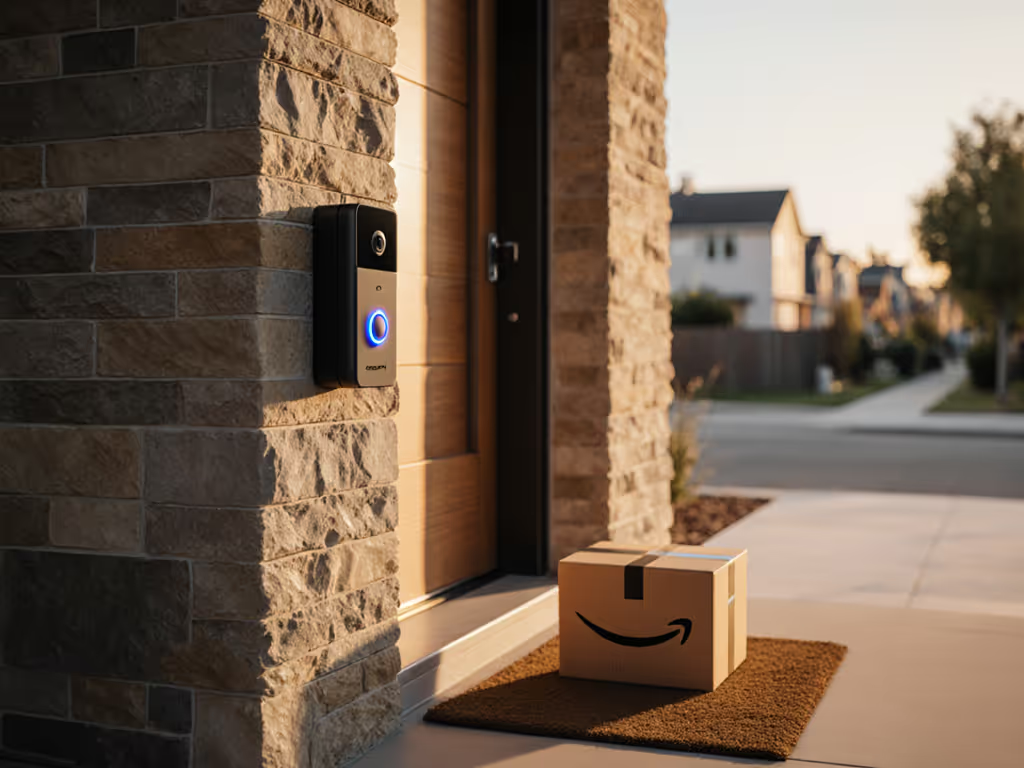
When you run a shop, manage rental properties, or just receive frequent deliveries, a video doorbell camera needs to do more than capture faces, it needs to document what actually reaches your threshold. That's where vertical field of view becomes operational reality, not a spec sheet talking point. A wide vertical FOV doorbell captures the full journey of a package from carrier hand to step, eliminating the "they never showed up" disputes and providing the proof you need when a delivery goes sideways. For targeted recommendations, see our best doorbells with package detection.
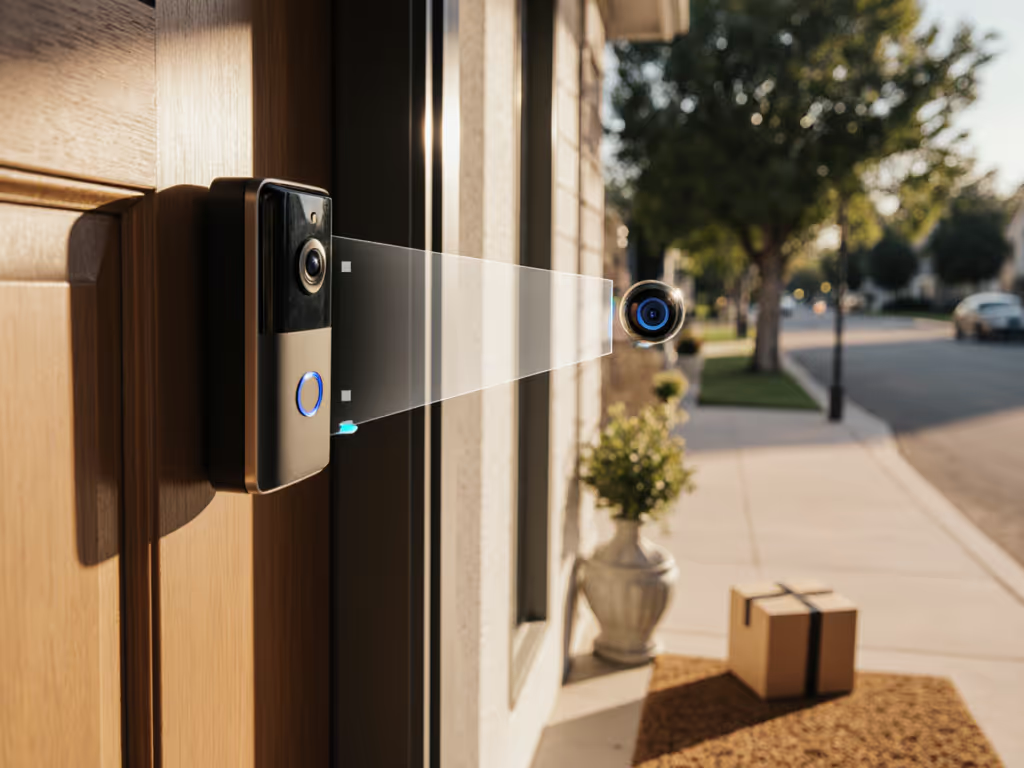
Vertical FOV matters because most porch pirates and courier disputes happen in the zone a standard doorbell misses: the ground-level approach, the step-down, the placement moment. A narrow FOV might catch the person's face but not the box going down. A 140 degree vertical FOV or better ensures you see the entire event (the approach, the handoff, the placement, the departure). For small business owners and property managers, that's risk reduction.
This guide cuts through the noise with an ops-focused assessment of what vertical FOV actually delivers, how to evaluate it, and where the real-world wins happen.
1. Why Vertical Field of View Changes the Package Evidence Game
A standard doorbell with 160° horizontal but only 90° vertical captures faces well but loses the critical lower frame. When a courier approaches your stoop, you see their head and shoulders in crystal clarity, then the footage cuts off right where they set the package down. You're left with ambiguous evidence: did they knock? Did they place it safely? Did someone grab it in the one frame you missed?
Vertical FOV flips this problem. A threshold monitoring camera with upward-facing vertical reach catches:
- The courier's hands and the package during placement
- Whether the delivery was set down, thrown, or left in a visible spot
- The full moment from approach to departure
- Subsequent foot traffic or theft attempts in the seconds after
For storefront deployments and rental turnover disputes, this 12-18 inches of additional vertical coverage is the difference between liability and evidence. A fact confirmed by courier best practices: photo proof now includes placement-of-package documentation, and narrow vertical FOV doorbells fail that test.
2. Vertical vs. Horizontal FOV: Understanding the Trade-Off
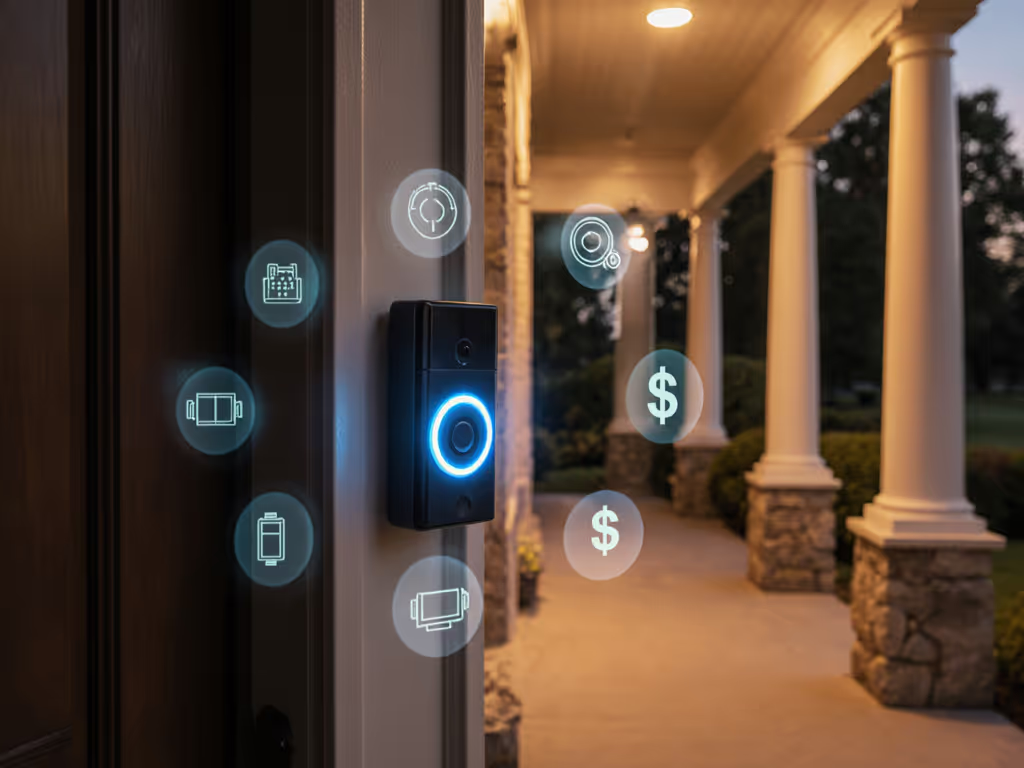
Horizontal FOV (typically 160°-180°) is well-marketed because it looks impressive in product photos. You see the whole porch and the sidewalk beyond. Vendors tout it endlessly.
Vertical FOV (the up-down angle) is the unsung hero. Most standard doorbell cameras cap out at 90°-100° vertical. A porch step coverage sensor with 110°-140° vertical actually includes the step below the door (or the shelf where the package lands).
The trade-off is real: boosting vertical FOV often compresses horizontal reach slightly, and it requires careful lens design to avoid distortion. For most operations (a shop entry, a residential stoop, a rental building lobby) that trade is worth it. You prioritize what's directly in front of you (the threshold) over what's 45 feet away on the side street.
For operational uptime, vertical FOV beats glam shots.
Choosing a doorbell based on which has the widest horizontal number is choosing vanity over utility. Get step-by-step tips in our field of view optimization guide.
3. Dual-Camera Doorbells: The Best Answer for Package Coverage
The search for perfect FOV ends with a simple solution: two cameras. A dual-camera threshold monitoring setup places one lens at standard height (face-level) and one lower (package-level) or uses a split lens that captures both simultaneously.
Key operational advantages:
- Pre-roll capture: A downward camera catches the package being placed before motion is detected, filling the "did they drop it and run" gap.
- Delivery Guard zones: Narrow the active motion detection to the package area only, cutting false alerts from sidewalk foot traffic dramatically.
- Audit trail without fatigue: Staff see the full event, no rewinding or squinting, reducing decision time and missed contexts.
Real-world case: A neighborhood bakery on my block lost track of morning deliveries because motion alerts fired constantly, buses passing, pedestrians walking by, tree shadows. Suppliers complained about "no-shows" that never happened. We swapped to a two-lens doorbell, zoned the motion detector to the stoop only, and paired it with a simple PoE recorder. Package captures went up, false alerts dropped by 90%, and the shift manager finally silenced the notification fatigue. Revenue-blocking ambiguity vanished.
Dual-camera doorbells typically cost $150-$300 more than single-lens alternatives but eliminate the operational debt of unclear handoff incidents.
4. Sensor Size and Night Performance Under Vertical Constraint
Vertical FOV requires a different lens geometry than traditional doorbells. That geometry change affects how light hits the sensor, especially at night.
A narrower vertical frame means the lens must focus more precisely on the threshold area. If the sensor is too small (1/3-inch or smaller), IR night vision becomes a liability: bright IR reflections bounce off package material or glass doors, washing out the very detail you need.
Specifications to prioritize:
- Sensor size: 1/2-inch or larger for vertical-focused lenses
- IR control: Switchable or tunable, not just "on" or "off"
- Night color mode: Ability to stay in color at night (not jump to grayscale) when ambient light exists
- Pre-roll logging: A 2-5 second buffer before motion detection ensures you capture the package approach, not just the aftermath
Night video quality is where many doorbells fail under real conditions. Uptime beats glam shots, a doorbell that delivers clear evidence 95% of the time beats one with perfect specs but unreliable night detection.
5. Managing Alert Fatigue: Activity Zones and Classification
Vertical FOV doorbells often cover less horizontal ground, which is good for alert sanity. But ops still demand a ruthless alert strategy.
A busy urban storefront or apartment building lobby sees dozens of passers-by daily. A porch step coverage doorbell without alert tuning fires 50+ false alarms: motion on the sidewalk, shadows, insects on the lens, and staff stop responding to any of them. That's the operational death spiral.
The solution: activity zones + object classification. See our picks for AI doorbells that cut false alerts to reduce noise fast.
- Define zones: Draw a tight box around the actual threshold. Exclude sidewalk, curb, and driveway motion.
- Classification: Doorbells with AI-backed detection (person, vehicle, animal, package) reduce false positives by 70%-85%.
- Schedules: Business hours alerts only, quiet hours silent unless motion is detected at the door.
- Thresholds: Set sensitivity relative to zone size (smaller zone = higher sensitivity is safe; larger zone = lower sensitivity to avoid noise).
Result: Notifications become actionable. Staff respond instead of ignoring. Threshold monitoring stops being a cry-wolf system.
6. Resolution and Clarity at Typical Distances
A 140 degree vertical FOV camera covering a 6-foot porch from 4-5 feet away should resolve faces and package details with confidence.
Minimum spec: 2K (2560×1440) or better. 1080p is a liability when zooming into still frames or during twilight video. The math: 2K gives roughly 5 megapixels; 1080p gives 2. On a vertical-focused lens, that 3MP gap is the difference between "I can read the address label" and "I think there's a label."
HDR (High Dynamic Range) is essential for vertical FOV. A sunny day with deep porch shadows, or a night scene with the door lamp on, creates extreme contrast. HDR holds both the bright background and the shadowed package detail, something standard exposure modes fail at.
Test claim: Compare footage from HDR and non-HDR doorbells under the same backlit conditions (window behind the door, bright exterior). The HDR version captures deliverer's face and package label simultaneously. The non-HDR version washes one or the other out. On ops terms, that's wasted evidence.
7. Wired Power and PoE Viability
Vertical FOV doorbells are power-hungry. Dual cameras, larger sensors, and persistent AI processing drain battery faster than simple motion-triggered recording.
Options:
- Battery-powered: 3-6 month recharge intervals in moderate climates; 2-3 months in winter or with heavy motion. Seasonal cost is real.
- Wired 24V transformer: Reliable in most homes. Requires identification of existing chime voltage and potential diode install for digital chimes.
- PoE (Power over Ethernet): Gold standard for ops-minded deployments. One cable supplies power and network. Uptime improves because power is stable and network visibility is direct. Requires PoE switch and cat6 run to door, feasible in new builds or retrofits with conduit.
Honest take: Battery might work for a single rental unit or low-motion environment. For multi-unit properties, storefronts, or delivery-heavy homes, wired power (24V or PoE) is the risk-reduction play. Battery anxiety in winter (especially with vertical FOV drawing more current) adds operational friction.
8. Storage, Retention, and Privacy Posture
Vertical FOV doorbells generate more footage because they're covering a narrower, higher-motion zone. Compare cloud vs local storage trade-offs to plan costs and privacy up front. That drives storage costs.
Storage models:
- Cloud only: Vendor holds the footage. Low upfront cost, high ongoing fees. Privacy trade-off: third-party access, data retention policies you don't control, potential law-enforcement access without your consent.
- Local NVR/microSD: Recording stored on-premises or on a micro-card. Higher upfront cost, zero cloud fees, full privacy control. Vendor cannot access footage; law enforcement requires a warrant and your cooperation.
- Hybrid: Local + optional cloud backup. Best for ops: local is primary, cloud is disaster recovery only.
For package dispute resolution, local storage is superior. You own the evidence; no SLA risk, no subscription surprise. A PoE doorbell feeding a 4-camera NVR with 30 days of 24/7 recording (adjustable by business need) costs $400-$800 upfront and $0 ongoing.
Retention rule: 14-30 days minimum for package coverage. Disputes often surface 5-10 days after delivery. 90 days is ideal for trend analysis and theft patterns.
9. Multi-User Access and Audit Trails for Shared Properties
Apartments, condos, and small businesses need multiple people to access doorbell footage, property managers, maintenance staff, security teams, and residents.
Operational requirement: Audit trails. Who watched footage, when, and from where. Not for surveillance of staff, but for accountability during incidents. "Three people reviewed the recording, and all three saw the same thing" is far stronger than one person's memory.
Cautions:
- Shared passwords: Avoid them. They make audit trails meaningless.
- Role-based access: Manager sees everything; residents see only their own door; vendor staff see nothing.
- Granular permissions: Can someone delete footage? (Usually no, for integrity.) Can they export video? (Depends on policy.) Can they manage accounts? (Only admins.)
PoE + local NVR setups typically support granular user management natively. Cloud-only platforms often limit this or charge per-user fees ($5-$10/mo each). For a 10-unit building, that's $50-$100/mo just to add staff accounts.
10. Installation Constraints for Renters and HOA Compliance
Renters and HOA-restricted properties can't drill, mount permanently, or install visible infrastructure.
Renter-friendly vertical FOV doorbells are rare because vertical depth requires careful aiming. However, options exist:
- Peephole replacements: Sit flush, no external mount, often 110°-130° vertical. Trade-off: smaller sensor, lower resolution, no two-way audio.
- Magnetic mounts: Attach to metal door frame with adhesive strips. Removable on lease end. Downside: less stable, sightline can shift.
- Surface-mount without drilling: Adhesive pads rated for outdoor weathering. Works for 3-5 years before degradation.
For business storefronts, HOA rules often allow doorbells if they're "entry-standard" (discrete, neutral finish, professional appearance). Avoid bright colors, oversized housings, or night vision LEDs visible from the street.
11. Two-Way Audio and Courier Interaction
A wide vertical FOV doorbell capturing the package zone should also support clear two-way communication. Couriers need to hear you, and you need to hear delivery instructions or vehicle locations.
Quality markers:
- Microphone noise floor (< -40dB is good; -30dB or worse is unusable in traffic)
- Speaker output (80dB+ at 3 feet is minimum for street noise)
- Latency (< 2 seconds round-trip for natural conversation)
PoE doorbells connected to a local network typically have lower latency than battery-powered cloud models. When a courier calls out "Where should I leave this?" a 5-second delay is frustrating. A <1-second response lets you redirect them in real-time.
12. Integration and Ecosystem Compatibility
Vertical FOV doorbells come from various manufacturers, and not all play nicely with home automation platforms (HomeKit, Google Home, Alexa) or business systems (Milestone XProtect, Blue Iris, etc.).
Flexibility tiers:
- Proprietary only: Vendor's app and cloud. Limited integration, potential lock-in.
- HomeKit/Google/Alexa: Standard smart-home integrations. Footage may be proxied through vendor cloud.
- RTSP/ONVIF/WebRTC: Open standards. Local network access. Best for ops: integrates with any NVR software, works offline, vendor-agnostic.
Bias alert: I lean toward PoE + RTSP/ONVIF setups because they eliminate cloud dependency and vendor lock-in. If a manufacturer changes pricing or discontinues support, your footage is still yours, and your recording infrastructure adapts.
13. False-Alert Reduction: The Real-World Metric
Vendor specs rarely mention false-alert rates. That's intentional, they're often embarrassing.
Demand data:
- How many motion events per day on average (your specific zone)?
- Of those, what percentage are vehicles, pedestrians, or environmental (shadows, reflections)?
- How many are actual people approaching the door?
A typical busy storefront or apartment entry sees 100-300 motion events per day. Without tuning, 80-90% are useless noise. With AI object classification and zone restriction, you can drop that to 10-20% false alerts.
Operational cost of a single false alert: 30-60 seconds of staff attention. 100 false alerts per day = 50-100 minutes of wasted time daily. Over a year, that's 200+ hours. Translate that to salary: $50/hour labor → $10,000 in wasted labor annually. A $300 doorbell with superior alert tuning pays for itself in false-alert reduction alone.
14. Warranty, Theft Replacement, and Support Transparency
Security cameras are theft targets. Doorbells on buildings attract hands.
Questions to ask before purchase:
- Theft/tamper replacement: Does the manufacturer replace a stolen or vandalized unit at no cost? For how long?
- Warranty scope: Does it cover normal wear, or only manufacturing defects? (Drops and storm damage often excluded.)
- Response time for support: Average time to reply to a support ticket. For business use, 24-hour max is reasonable.
- Firmware update cadence: How often does the vendor issue security patches? (Monthly or quarterly is good; annually or less is risk.)
- Discontinuation policy: If the model is discontinued, can you still purchase accessories and firmware support? (5 years minimum is best practice.)
Vendor stability matters. Smaller brands offer agile development but may disappear. Larger brands offer resources but may deprioritize certain product lines. For operations, choose a vendor with a public track record and transparent security practices.
15. Total Cost of Ownership Over 5 Years
Here's where vendor marketing falls apart. A "$99 doorbell" often costs $400+ over five years when you factor in everything.
Typical breakdown:
| Component | Year 1 | Years 2-5 |
|---|---|---|
| Device | $150-$300 | $0 |
| Chime/PoE switch | $50-$150 | $0 |
| Cloud storage (if used) | $60-$120/yr | $240-$480 |
| Battery replacements (if applicable) | $20-$40 | $80-$160 |
| Accessories (solar, stand, extension cable) | $30-$60 | $0 |
| Total Year 1 | $310-$670 | |
| 5-Year Total | $630-$1,370 |
Budget option (wired, local storage): $630 over 5 years.
Cloud subscription option (battery + monthly fees): $1,200+ over 5 years.
Ops teams hate surprise costs. Calculate the full 5-year picture before deciding. Uptime beats glam shots, a $400 device with zero monthly fees and local storage beats a $100 device that "requires" a $10/month subscription to work properly.
16. Evaluation Checklist: What to Test Before Deployment
Before committing to a doorbell (or 10, in a multi-unit scenario), validate these real-world conditions:
- Lighting test: Backlit door (bright outside, dark inside). Does the camera hold both? Can you read faces and package labels?
- Motion tuning: In your actual location, enable the narrowest activity zone that doesn't miss threshold motion. How many false alerts occur in 24 hours?
- Night video: Record 30 seconds of footage after dark. Does IR glare wash out details, or is the image usable?
- Audio quality: Speak into the doorbell speaker; listen to the playback. Is the voice clear, or is it robotic/compressed?
- Notification latency: Trigger motion; start a timer. How long until your phone alerts? (< 3 seconds is excellent; > 10 seconds is unusable for real-time interaction.)
- Storage reality: Let it record 24/7 for 7 days. How much storage was used? Project that across your retention requirement.
- Wi-Fi dependency: If using a battery model, test it on your actual Wi-Fi signal strength. Battery life claims often assume strong signal; real conditions degrade performance 20-50%.
A week of pilot testing in a production environment beats vendor demos every time.
Conclusion: Summary and Final Verdict
Best video doorbells with vertical FOV are not about the widest angle or the most AI features. They're about capturing threshold events, packages, visitors, disputes, with clarity and operationally useful alert discipline.
Your Decision Framework:
If you're a renter or HOA-restricted: Focus on peephole-style or magnetic-mount doorbells with 110°-130° vertical FOV. Accept lower resolution and battery needs as trade-offs. Verify installation reverses on lease end.
If you own a single-family home and receive frequent deliveries: A dual-camera doorbell (one standard, one downward-facing) with 24V wired power, 2K+ resolution, and local microSD storage. Cloud upload is optional, not required. Budget $200-$300; no monthly fees.
If you manage multi-unit rentals or a commercial storefront: Invest in PoE doorbells (one per entry point), a local 4-8 camera NVR system, and a quiet uninterruptible power supply (UPS). Enable granular user roles, set motion zones to 12-18 inches in front of the threshold, and retain footage for 30 days minimum. Total 5-year cost for a 4-door setup: $1,500-$2,200. Annual false-alert reduction alone justifies it.
Red flags to avoid: Cloud-only platforms with mandatory subscriptions, battery-only models in climates below 40°F in winter, doorbells without customizable activity zones, and vendors with no published security practices or update cadence.
Security gear should lighten staff workload, not add a new job. Choose systems that reduce false alerts, support clear evidence capture, and integrate into your existing workflow without a learning curve.
Uptime beats glam shots. Vertical FOV matters. Now go tune your alerts and stop the noise.
Related Articles